Manual Center Allocation
Note:
- In Any module, the first step is Select Instance (Project).
- To generate an admit card, first allocate an exam center to the candidate through the "Candidate Application List" module. Use the Action button at the bottom of the page to generate the admit card. For details, refer to the "Candidate Application List" module.
Let's begin the process to allocation the centre manually:
- Select the instance where you want to allocate the center.
- Manual Center Allocation provides a list of candidate information, including name, application number, roll number, gender, and more.
- To allocate a center for a candidate, locate the candidate in the list or use the search bar.
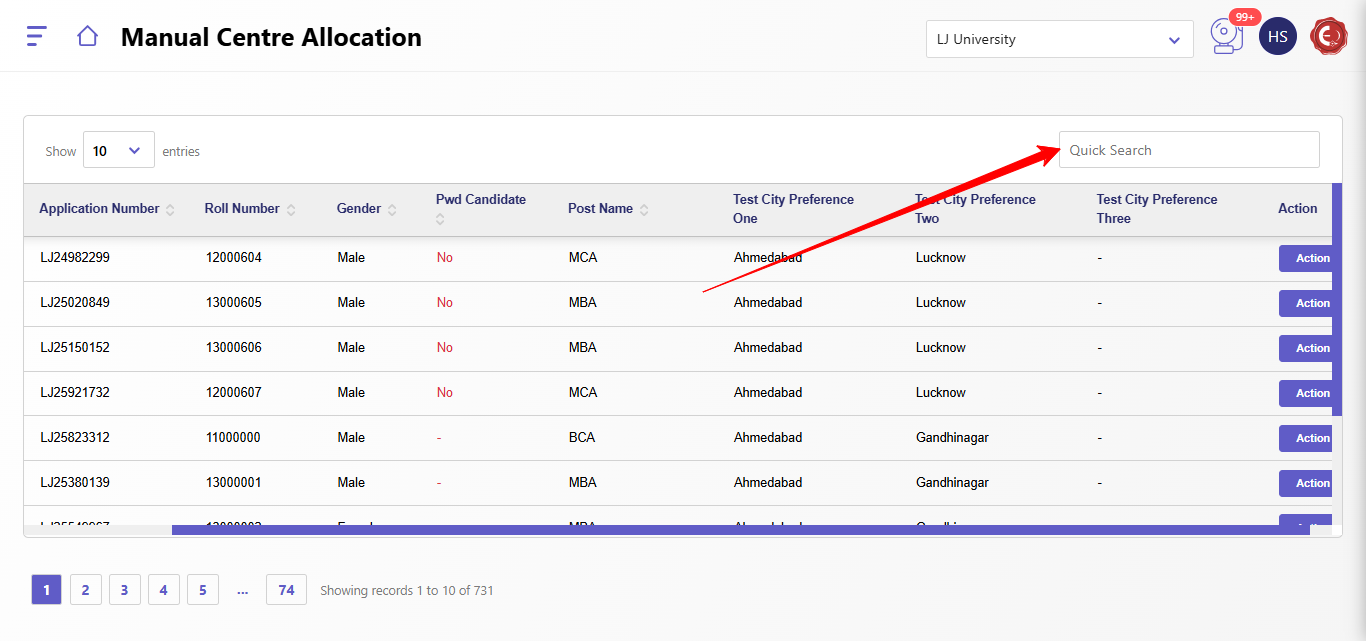
- Once found, click the Action button to assign shift, city, and center, then save the details.
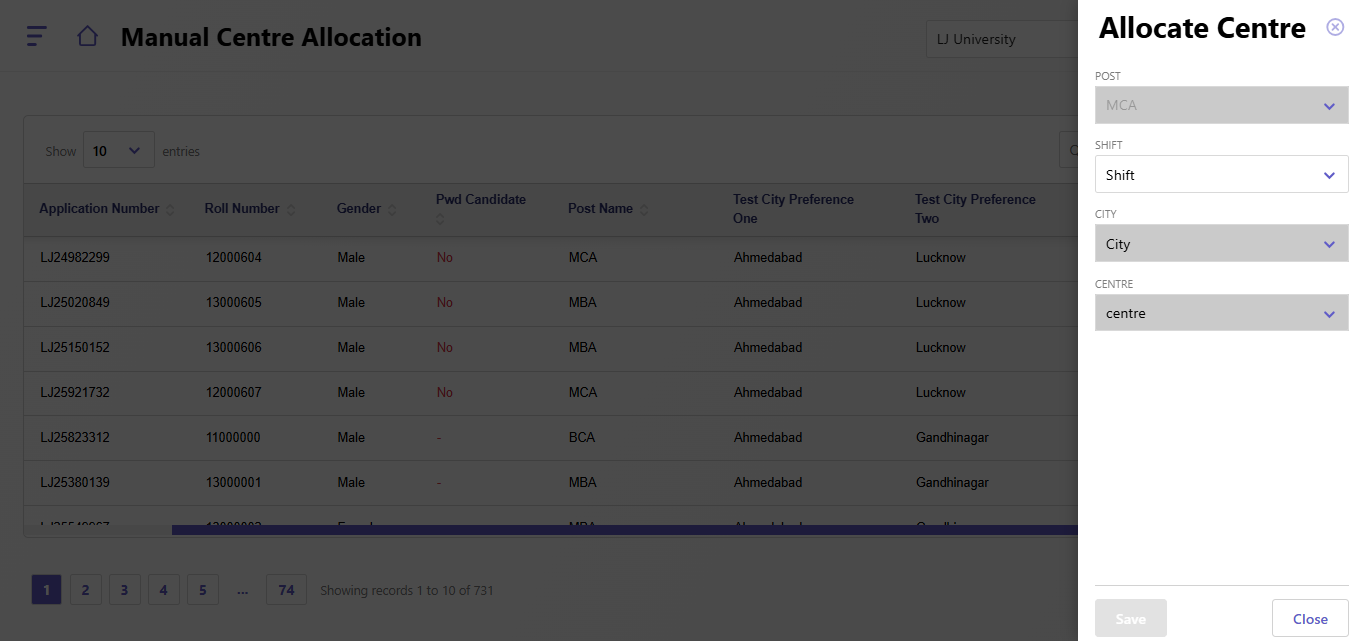
- Then you can proceed ahead to generate the Admit card.
Created with the Personal Edition of HelpNDoc: Create help files for the Qt Help Framework