Candidate Test Data
Note:
- In Any module, the first step is Select Instance (Project).
- The candidate data displayed in the "Candidate Test Data" screen helps identify the specific shifts and timings for each scheduled exam. Additionally, the "Shift Wise Centers" screen provides details about the examination centers, including their location, seat capacity, and associated shifts. This information collectively allows us to determine which post is scheduled for each shift and its corresponding center details.
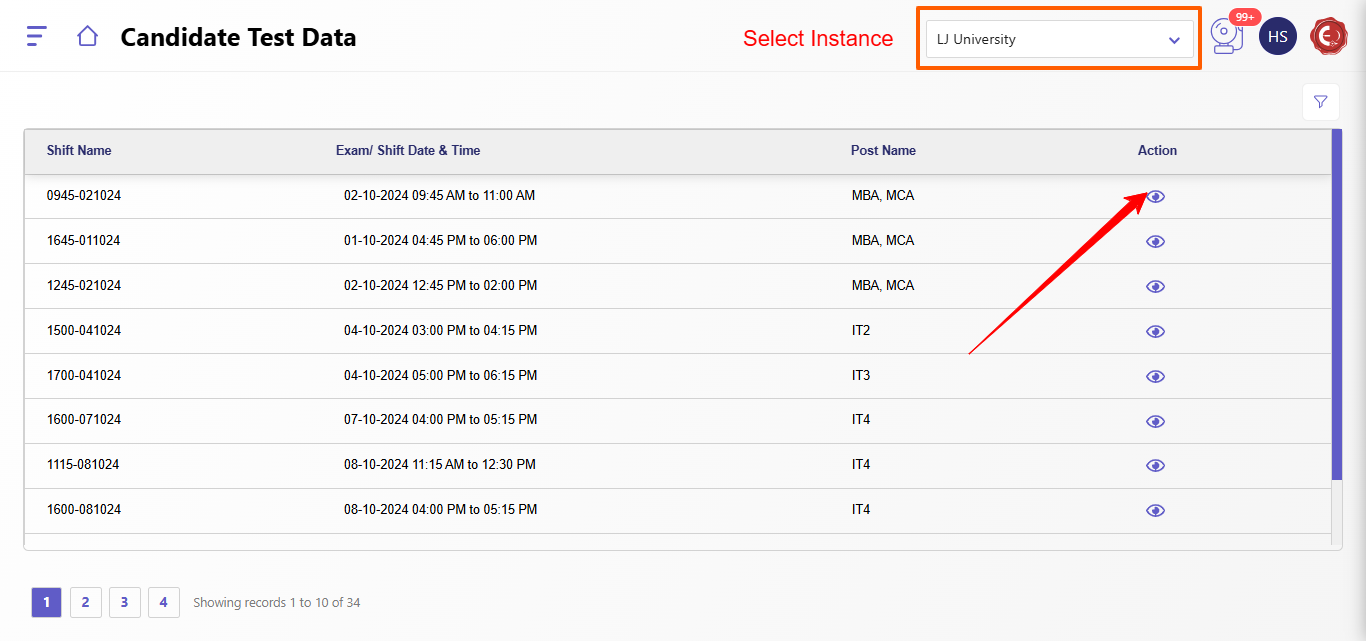
Candidate Test Data provides comprehensive information related to each candidate’s exam allocation details. It includes the following fields:
- Shift Name: The specific shift assigned to the candidate, indicating the timing or session of the examination.
- Exam/Shift Date & Time: The exact date and time for the candidate's exam shift, which helps in planning and scheduling attendance.
- Post Name: The title or designation of the exam post for which the candidate has applied, ensuring they are matched with the correct examination session.
- Action ->
- Assign City: An option to select and assign the city in which the candidate will take the exam, ensuring their location preference and logistical needs are met.
- State: The state where the examination center is located, providing regional clarity and aiding in large-scale allocation across regions.
- Center Code: A unique code assigned to each examination center, which helps in precise identification and management of centers.
- Center Name: The official name of the examination center where the candidate is allocated, providing reference for both candidates and administrators.
- Center Address: The complete address of the examination center, allowing candidates to locate the center easily.
- Center Seat Capacity: The number of candidates that the center can accommodate, ensuring that seat allocation stays within the center’s available capacity.
- Action ->
- Download Excel: An option to download all candidate test data as an Excel file, enabling administrators to view, analyze, or share the information as needed.
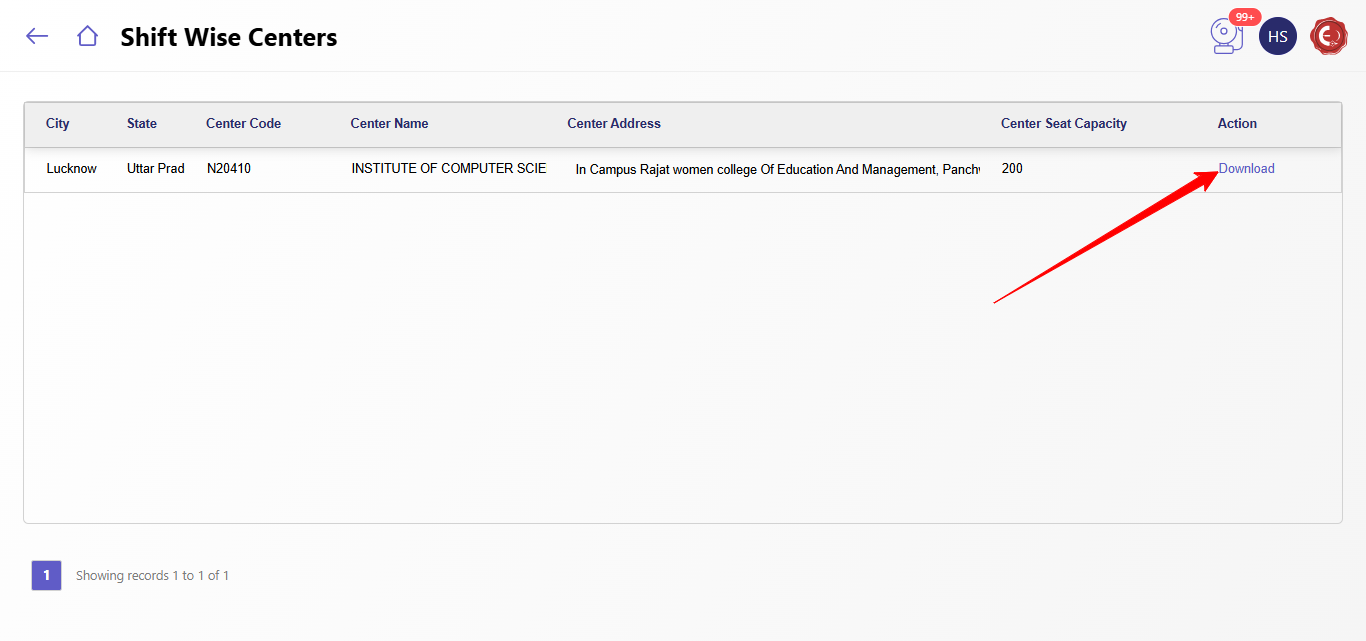
This detailed test data enables effective allocation and coordination for examination centers, ensuring each candidate is accurately placed within the examination infrastructure.
Created with the Personal Edition of HelpNDoc: Maximize Your Documentation Efficiency with a Help Authoring Tool