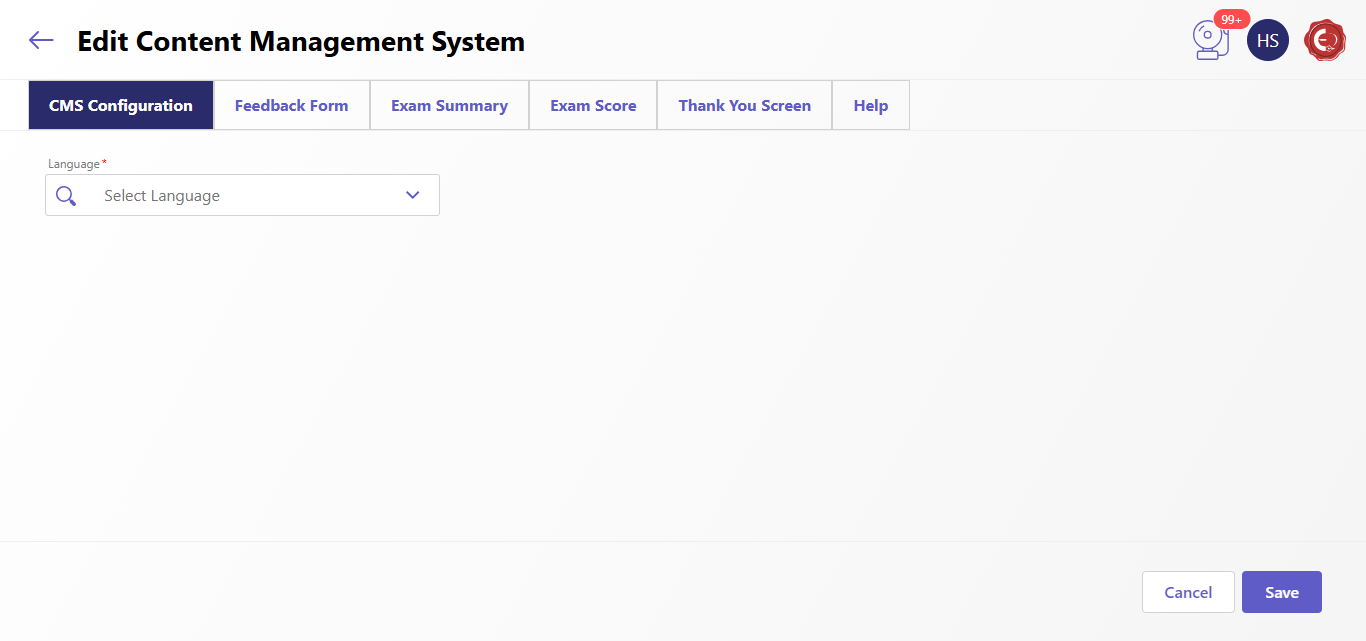
The "Edit Content Management System" interface provides a streamlined way to manage and configure exam-related content. Based on the screenshots:
- CMS Configuration Tab: Allows defining and updating terms and conditions, ensuring candidates understand the rules and regulations of the examination.
- Feedback Form Tab: Enables setting up a feedback form where candidates can share their exam experience, helping improve the overall process based on their input.
- Exam Summary Tab: Allows creating a concise summary of the exam results, providing an overview of candidates' performance.
- Exam Score Tab: Displays detailed scoring insights, reflecting raw assessment results like correct answers, points earned, and other performance metrics.
- Thank You Screen Tab: Configures a thank-you note to acknowledge candidates' efforts and encourage them for future learning endeavors.
- Help Tab: Provides candidates with guidance on resolving technical issues or addressing concerns during the exam, ensuring a seamless support experience.
Each tab is tailored to specific content needs, with customizable options for all languages.
Created with the Personal Edition of HelpNDoc: Revolutionize Your Documentation Output with a Help Authoring Tool