CBT Dashboard
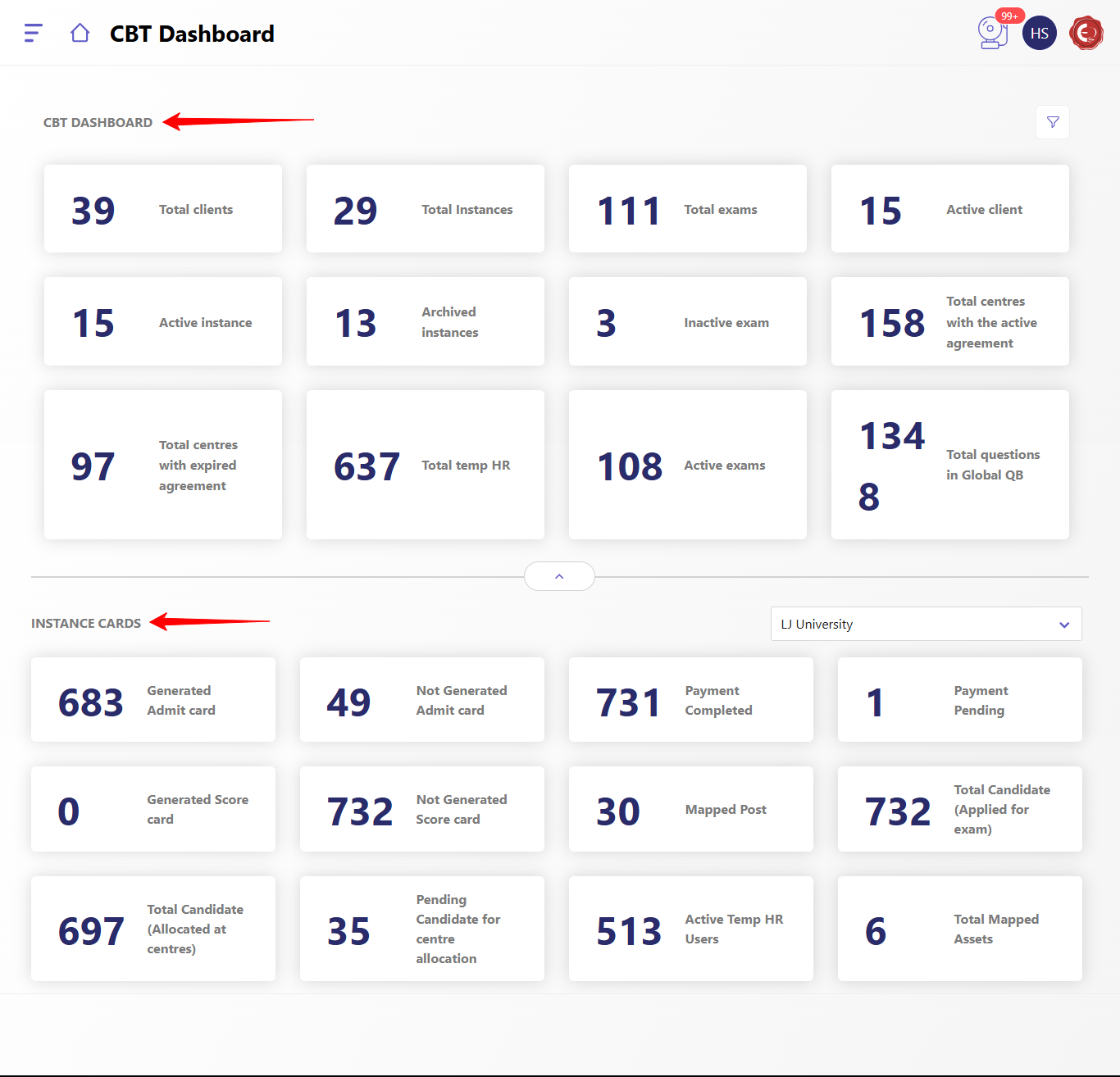
CBT Dashboard represents the overall view with filters to select the date range and instance based which is divided into 2 parts as given below:
- CBT Dashboard
- Total Clients
- Total Instances
- Total Exams
- Active clients
- Active Instance
- Archived instances
- Inactive exam
- Total centers with the active agreement
- Total centers with expired agreement
- Total temp HR
- Active Exams
- Total questions in Global QB
- Instance Cards
- Generated Admit card
- Not Generated Admit card
- Payment completed
- Payment Pending
- Generated Score Card
- Not Generated Score Card
- Mapped Post
- Total Candidate (Applied for exam)
- Total Candidate (Allocated at centres)
- Pending Candidates for centre allocation
- Active Temp HR Users
- Total Mapped Assets
Created with the Personal Edition of HelpNDoc: Revolutionize Your Documentation Output with HelpNDoc's Stunning User Interface